10x Explorer
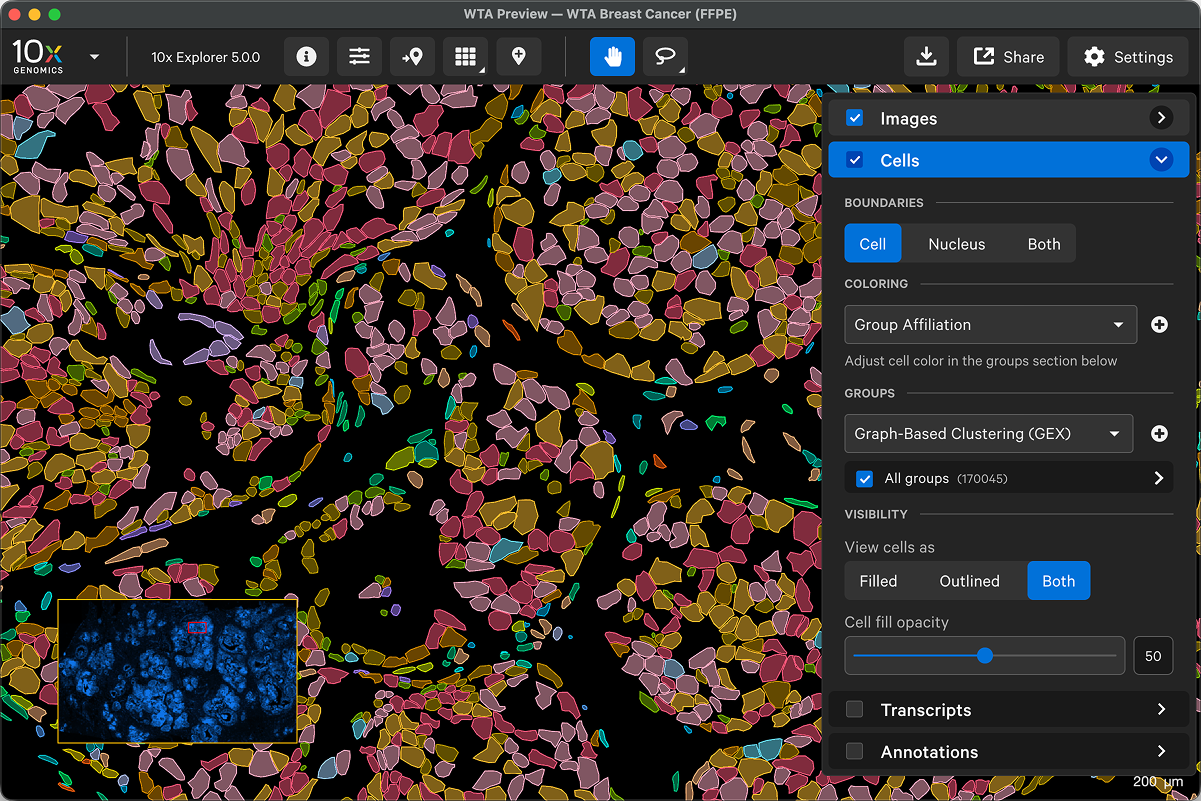
What is 10x Explorer?
Explore Atera and Xenium In Situ data, from tissue macrostructures to subcellular resolution, with our interactive visualization tool. Pinpoint the locations of specific transcripts, check cell segmentation, and annotate regions of interest to inform downstream analysis.
Tutorials
10x Explorer Inputs
List of 10x Explorer-compatible input files.
Navigate 10x Explorer
Learn about 10x Explorer and orient yourself to its user interface and features.
Check Data Quality
Find tips for examining cell segmentation, cell cluster assignment, and gene expression with 10x Explorer.
Image Layer
Learn how to interact with single and multichannel image data.
Cells Layer
Learn how to interact with nucleus and cell segmentation, as well as cell cluster data.
Transcripts Layer
Learn how to interact with transcript data.
Annotation Layer
Create or import annotations for your dataset and extract transcript, cell, and protein stats for regions of interest.
Save and Share
Save UI settings, transfer configurations to another window, and share settings with others.
Open Analysis Files from AWS
Set up and access Onboard Analysis files from AWS S3 bucket to visualize in 10x Explorer
Image Alignment
Align post-instrument images or import images aligned with third-party tools.
Converting Images
Convert post-instrument images to a format compatible with 10x Explorer.
Q&A
Browse Q&As from the 10x Genomics support team.
Analysis Guides
A collection of introductions, tutorials, and blogs for data analysis beyond 10x Genomics software.